Goals and tasks
Short answer
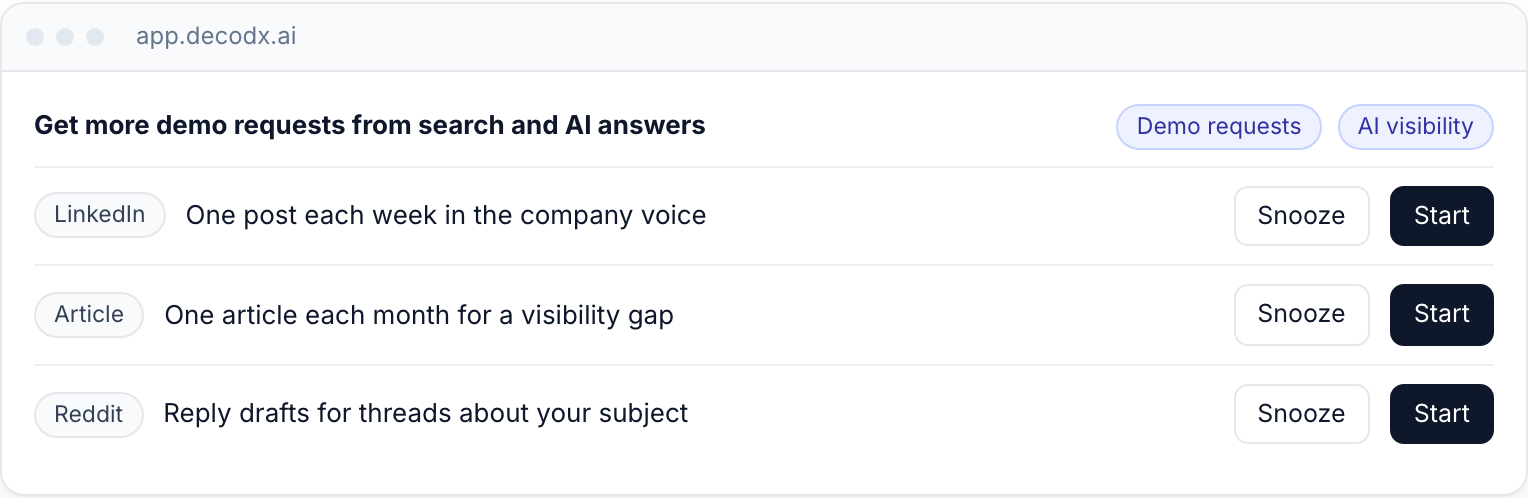
A decodx goal is a result that you want, for example "more demo requests each month". Each goal has 1 to 3 metrics. decodx turns each goal into task lines. Home shows one row for each task line.
Add a goal
- Open Goals. Open the Goals page.
- Add a goal. Click + Add goal.
- Type the result. Type the result in one sentence.
- Select metrics. Select 1 to 3 metrics.
- Check the task lines. Remove the task lines that you do not want. Result: Home shows one row for each task line.
Work with tasks
- To write a draft now, click Start on the task.
- To move a task to a later week, click Snooze.
- When your priorities change, ask decodx for new task lines.
Archive a goal
Open the ⋯ menu on the goal. Click Archive goal. The task lines stop. The history stays.
note
Each plan has a goal limit. See Plans and limits.